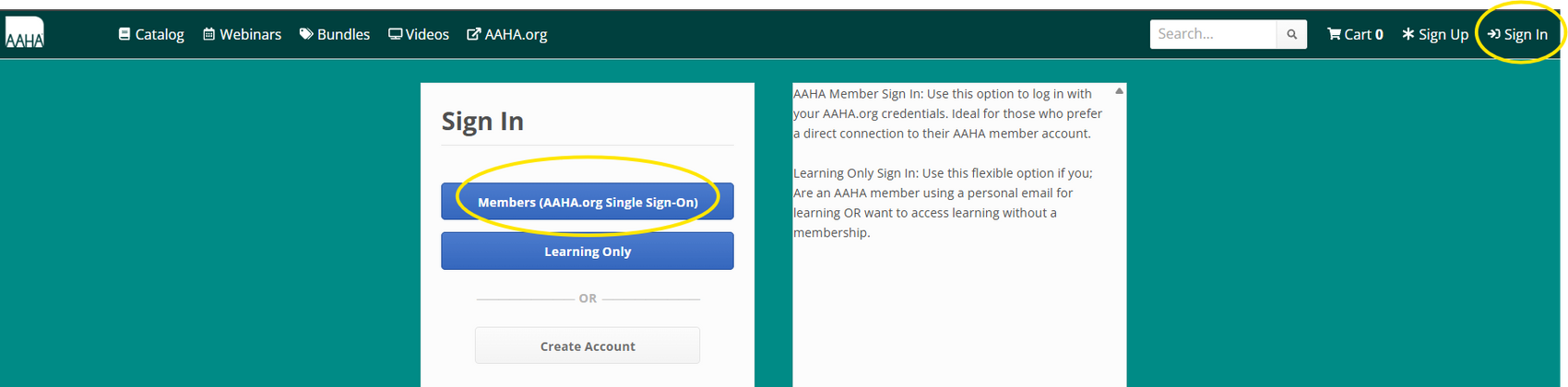
Step 1: Navigate to AAHA Learning and click "Sign In" in the top right corner.
Step 2: Then click the "Members" Single Sign-On button.
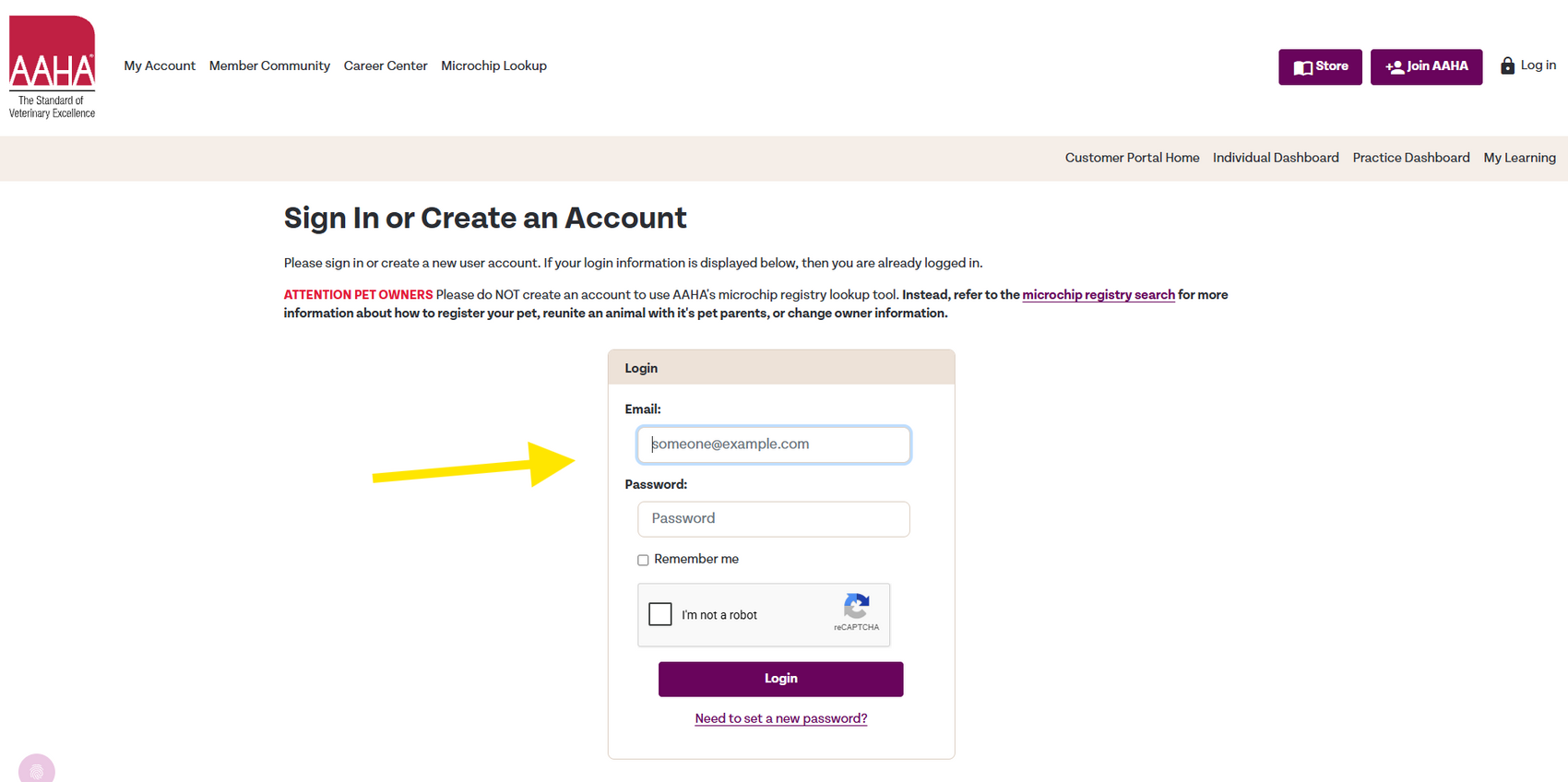
Step 3: Enter your email and password associated with your AAHA.ORG account
You will be automatically signed into both your AAHA Learning account and your AAHA.ORG account.
Step 2: Then click the "Members" Single Sign-On button.
Step 3: Enter your email and password associated with your AAHA.ORG account
You will be automatically signed into both your AAHA Learning account and your AAHA.ORG account.